
Scenic Drive · iOS, for Tesla owners
Tesla Fleet API · direct to the car’s nav
Your whole route, in Tesla’s nav.
Tesla tops out at 8 stops. Scenic Drive sends unlimited waypoints — 12, 40, the whole trip — to the car’s own screen.
Its built-in nav tops out at 8 stops, and skipping one means deleting it on the touchscreen as you drive. Paste a Google Maps link or pick a drive from our collection — the whole route lands in the car in one tap, every waypoint in order. Got a GPX? Import that too.
Over Tesla’s official Fleet API — straight onto the car’s own navigation. No cable, no browser tab.
One tap sends your whole route to your Tesla’s own nav.
Every waypoint, in order — not the 8 stops Tesla tops you out at. A real iOS app that sends the whole route straight to the car’s own navigation.
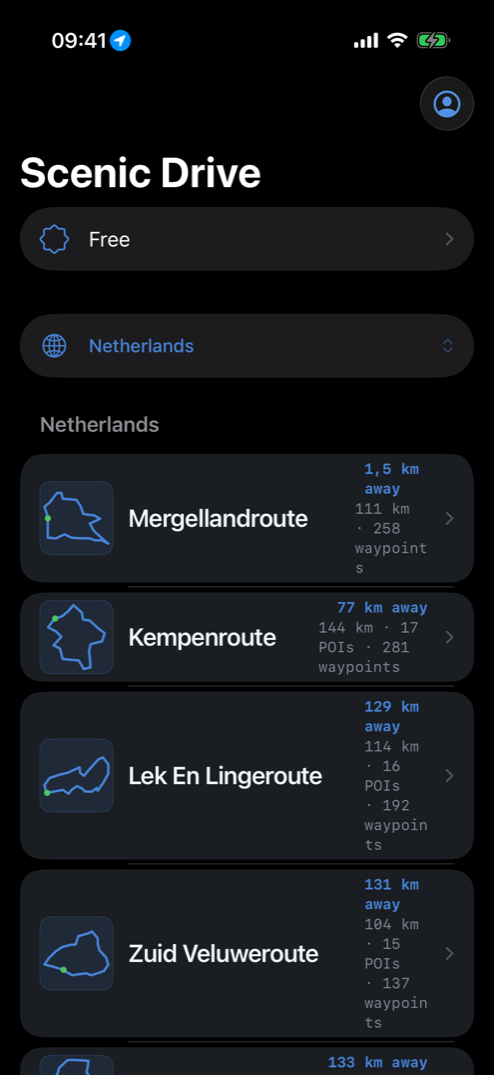
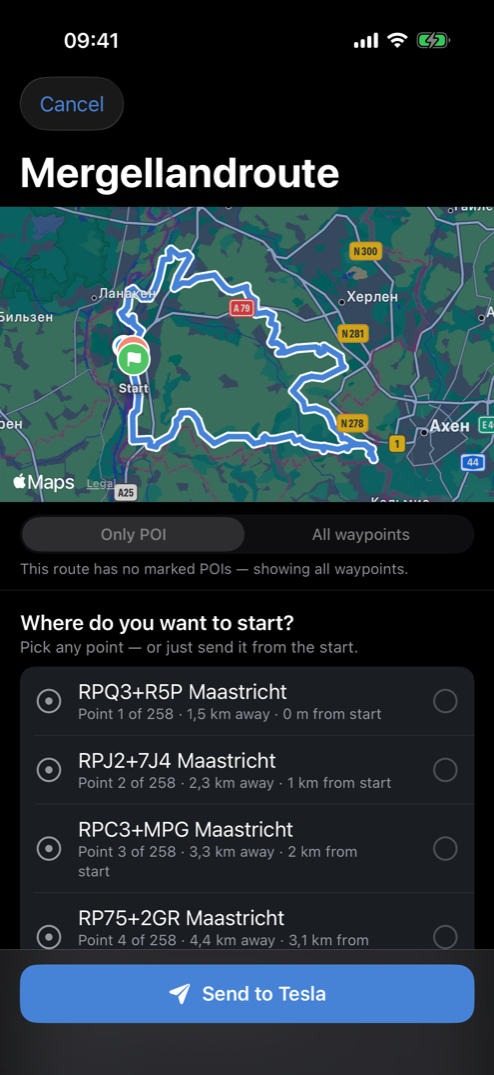
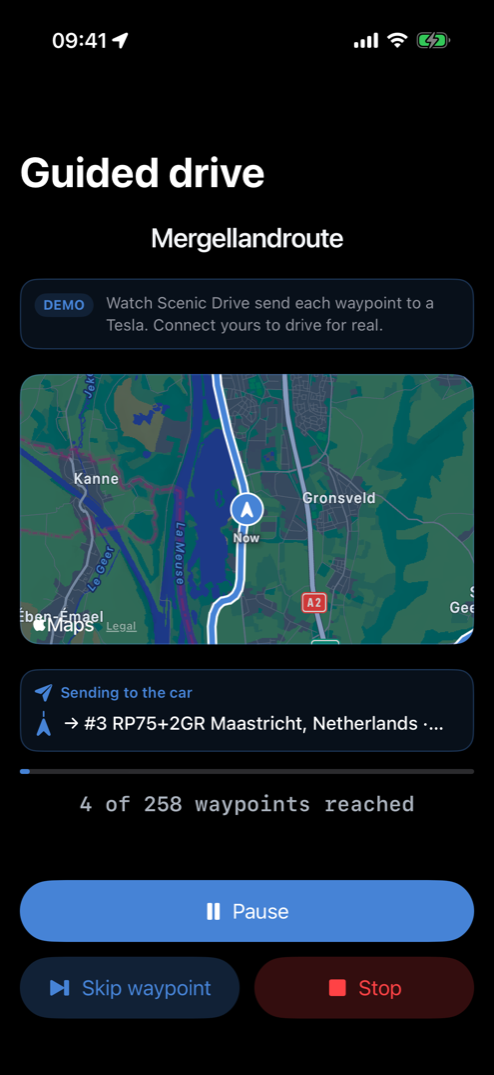
Tesla’s nav forces you down to 8 stops, tops. Every one is mandatory — you thumb it off the touchscreen mid-drive.
Scenic Drive keeps that lineup full for you. It feeds the next waypoints into the car’s own nav as you approach, seconds ahead of each turn: lead to spare, never a last-second swap.
Nine waypoints or a hundred — same drive, end to end. You never touch the car’s screen, so it rides seamlessly with your Tesla’s FSD.
You know the drive you want. Your Tesla can’t follow it.
You map fifteen waypoints down the coast. Tesla forces it down to eight stops — the rest, you drive from memory.
I have been wishing for this for 20 years. I have never had a car that could save a favorite route, only a favorite destination.
When the car reaches the first stop it just sits there. I can find no ‘continue trip’ button in the UI.
There is no way to do that. The best you can send the Tesla navigation is a single destination point.
So the fast road wins. The drive you bought this car for gets skipped — not because you changed your mind, but because the car won’t follow it.
One tap sends your whole route to the car.
- 01 Unlimited waypoints, not eight. Tesla’s built-in nav tops out at 8 stops you punch in by hand. Scenic sends the entire route, every waypoint in order, over Tesla’s own Fleet API.
- 02 Bring any route. Paste a Google Maps link, pick one from our collection, or import a GPX. Pick it once, then one tap puts it in the car.
- 03 Nothing to type into the car. No stops to thumb into the touchscreen. No “continue” button, no deleting waypoints on the move.
- 04 The nav guides you, turn by turn. Every waypoint you chose, in order, the whole way — on the car’s own navigation.
- 05 Stop only where you want. The route flows past every waypoint you skip; the app advances it as you approach.
- 06 Your library remembers. Save the drives you love and send any of them again in one tap.
Any route, any length. One tap.
Two ways to send a drive to the car: the ones you save, and the ones we pick for where you’re driving. Both one tap.
Tesla forgets your route the moment you arrive — you punch it back in, stop by stop, every single time. Save it here once, and it’s one tap forever.
Save a drive once — any Google Maps link or GPX — and it’s one tap back to the car. Never re-type it again.
The exact roads, every waypoint you chose. All of them, past the 8 stops Tesla tops out at.
- Home → work — the pretty way, no highways
- Sunday coast loop — the one you always mean to take
- Cabin weekend — back roads the whole way up
Don’t feel like planning? We hand-pick scenic drives for where you’re driving and drop them into the car — same one tap.
Iconic roads, mapped into our own waypoints and ready to send whole. Nothing to build, nothing to type.
- West Frisian Villages — West-Friesland’s old sea-dike loop
- Tulip Fields — through the tulip fields to the coast
- Flevoland Sea-Bed Polders — across the reclaimed seabed polders
Your route lands on the car’s own navigation — through Tesla’s official Fleet API.
Official Tesla Fleet API · OAuth sign-inRemember why you bought the car. Now take that drive.
The coast road at golden hour. The mountain pass you keep meaning to take. This time you just drive the route you chose, start to finish, instead of re-typing it into the screen one stop at a time.
I drive a Tesla. I’d plan a beautiful weekend route, then spend the whole drive fighting the screen instead of watching the road. So I built the thing I wanted: send the whole route once, and every waypoint drops into the car’s own nav, in order. That’s how I drive now.
Never type a route into the touchscreen again.
Scenic Drive is live today. It has already run a full route on a real Tesla. Plan the drive once and every waypoint lands on the car’s own navigation, in order, past the 8 stops Tesla forces on you. It moves you to the next waypoint as you go.
Any Tesla. Any GPX or Google Maps link. Nothing to type.
You drive, or your Tesla’s FSD does. The app only ever sends the route — never the wheel.